

OpenVPN Setup on Apple iOS
Help
Step-by-step guide to configure OpenVPN on iPhone or iPad using the OpenVPN Connect app from the App Store.
1. Install OpenVPN Connect from the App Store.
2. Launch iTunes, select your iPhone, and choose Apps from the right-side menu.
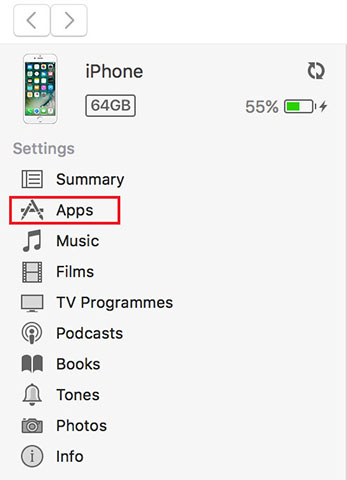
3. Scroll the list of iPhone apps down to File Sharing. Find the OpenVPN app. On the right side, click Add and select the .ovpn configuration file from the archive you can download in your personal cabinet or request from support.

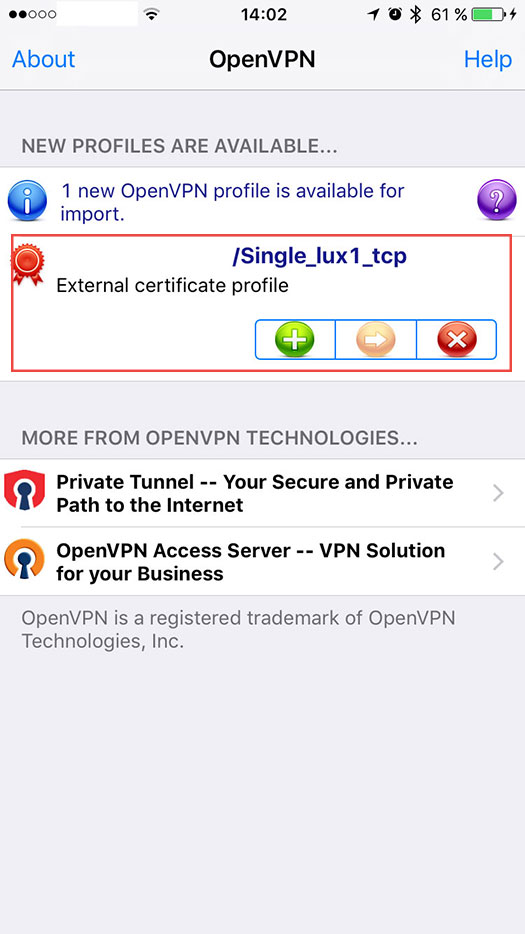
4. Open the OpenVPN app on your iPhone. Select the configuration file you imported earlier.
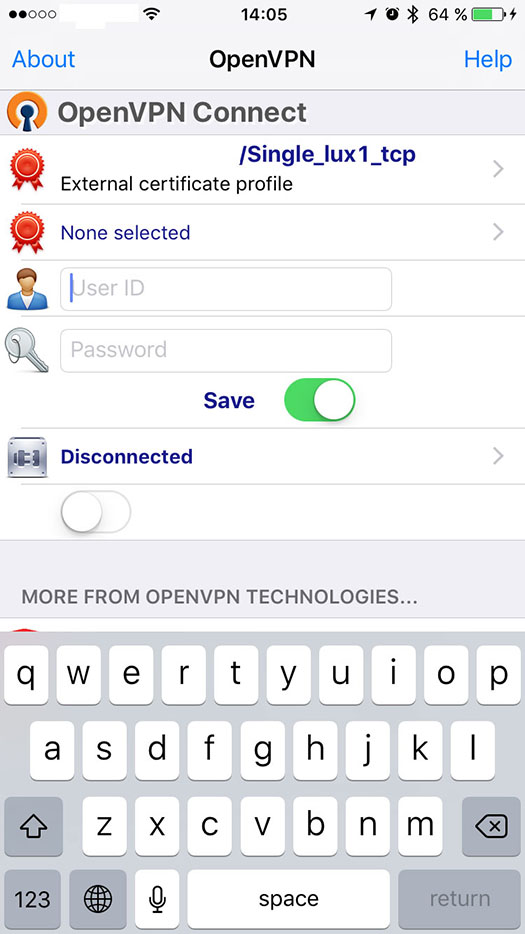
5. Enter the username and password from the pass.txt file, toggle Save to avoid entering credentials on each connection, then activate the connection.
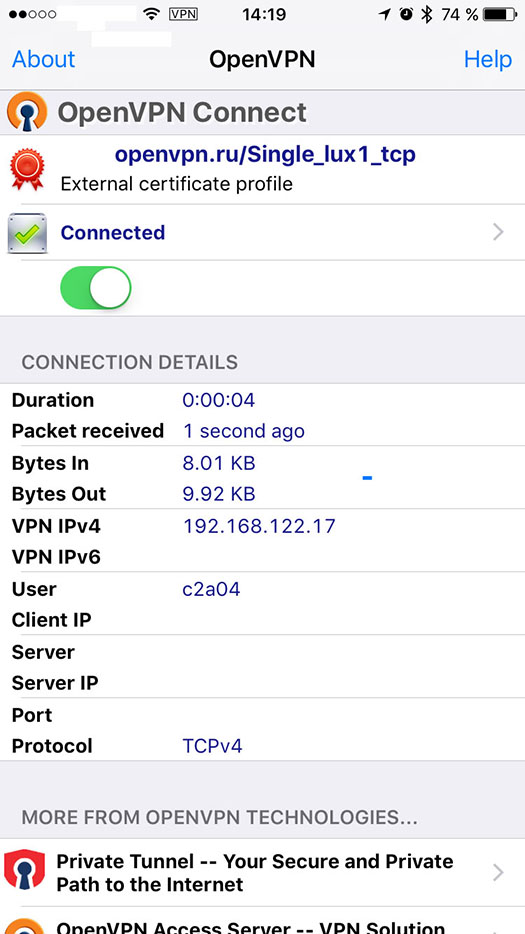
6. Open whoer.net in Safari to verify that your IP address has changed.