

OpenVPN Android setup
Help
OpenVPN setup on Android via OpenVPN Connect app. Import .ovpn profile, store credentials, auto-reconnect on network change.
OpenVPN Connect runs on most Android devices. Setup steps:
1. Install OpenVPN Connect from Google Play.
2. Download the OpenVPN configuration file to the device's internal storage.
3. Open OpenVPN Connect and choose Options → Import → Import profile from SD card.
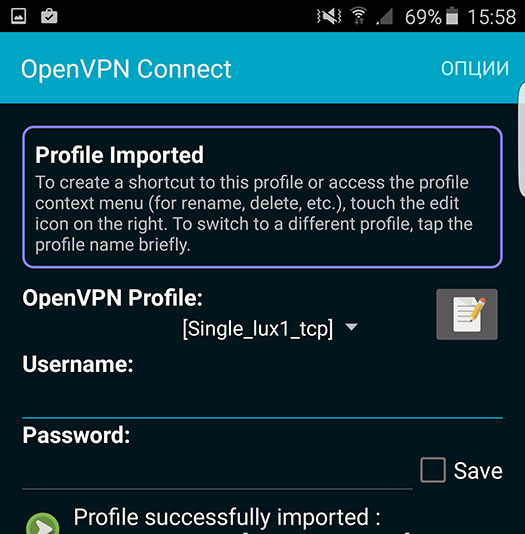
4. Enter the username and password from pass.txt. Toggle Save so you don't have to enter them on every connect, then activate the connection.
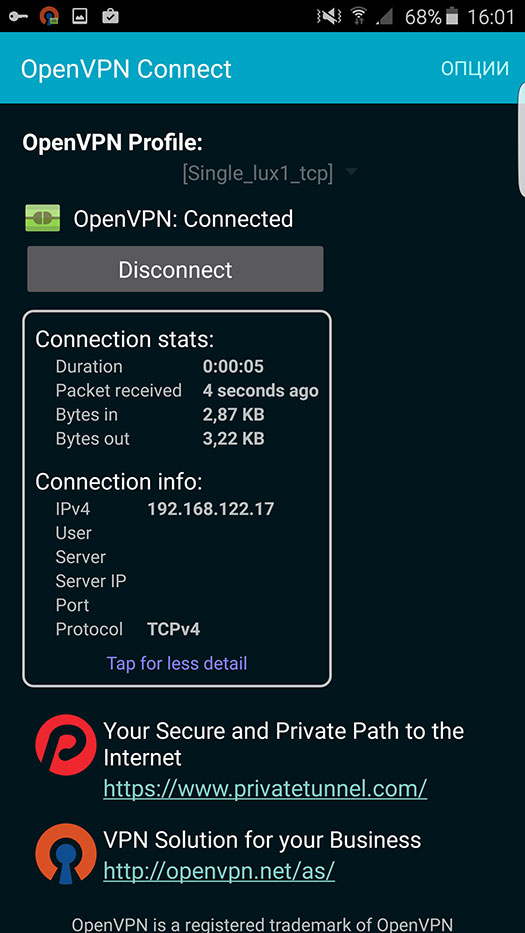
5. Visit whoer.net in your browser to confirm the IP has changed.