OPENVPN (Windows 7)
Help
Step-by-step OpenVPN setup on Windows 7, 8, 10. Install OpenVPN Connect, import .ovpn config file, save credentials, troubleshoot connection.
1.Download the last release OpenVPN http://openvpn.net/index.php/open-source/downloads.html
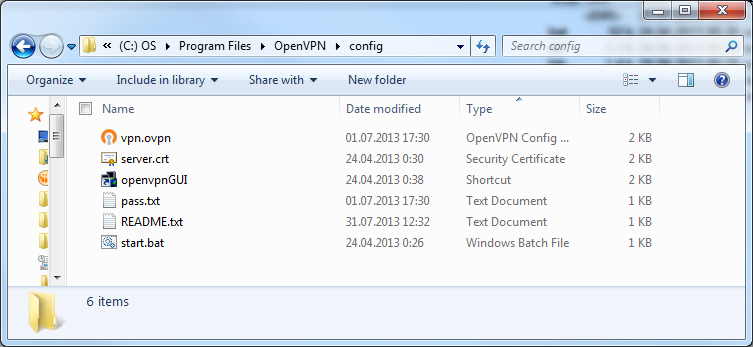
2. Unpack configs files, which you got Client area, to c:\\Progrma files\\OpenVPN\\config
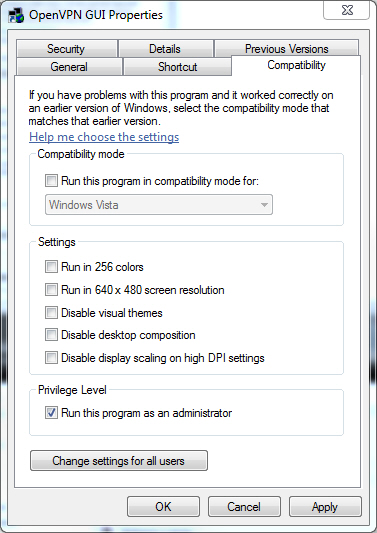
3. Go to properties of OpenVPN GUI in Strat menu and mark options “Runs this program as an administrator”
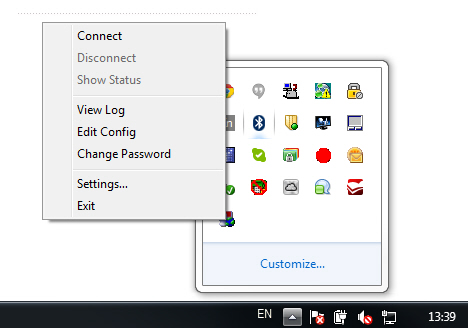
4. Start OpenVPN GUI and then click on icon OpenVPN GUI at tray and select Connect